The Government of Assam has introduced the SAMARTH Admission Portal to streamline the admission process for Four-Year Undergraduate Programme (FYUGP), Five-Year Integrated Master’s Programme (FYIMP), and Five-Year Integrated Post Graduate Programme (FYIPGP) in Higher Education Institutions across the state. The common online admission portal has been in operation since the academic session 2023-24 and continues for the 2026-27 academic session.
The portal facilitates online admission to Government, Provincialized, Private, PDUAM, Government Model Colleges, and State Universities of Assam through a single platform, making the admission process simple, transparent, and convenient for students.
SAMARTH Admission Portal Details
| Particulars | Details |
|---|---|
| Portal Name | Assam State Higher Education Admission Portal (SAMARTH) |
| Academic Session | 2026–2027 |
| Portal Launch Date | 14th June 2023, 6:00 PM |
| Courses | FYUGP, FYIMP & FYIPGP |
| Course Duration | 4 Years / 5 Years (Integrated) |
| Department | Directorate of Higher Education, Assam |
| Participating Institutes | Government, Provincialized, Private, PDUAM, Government Model Colleges & State Universities |
| Admission Mode | Online |
About SAMARTH Portal
SAMARTH is an initiative by the Ministry of Education (MoE)‚ Government of India under National Mission on Education through Information and Communication Technology (NMEICT-II‚ presently NMEICT-III)‚ launched in 2019․
The platform is a cloud-based Enterprise Resource Planning (ERP) system for universities and other Higher Education Institutions (HEIs) to plan‚ manage‚ deliver and monitor their academic and administrative operations․
The Assam State Higher Education Admission Portal allows students to apply online for admission to higher education institutions in the state of Assam in various courses․
Admission is based on merit‚ with candidates listing up to six programme preferences offered by the same or different Higher Educational Institutions (HEIs)․
SAMARTH Helpline
Candidates facing any difficulty while using the SAMARTH Admission Portal may contact the support team through the following details.
| Particulars | Details |
|---|---|
| admission.samarth@gauhati.ac.in | |
| Phone Number | 9864978356 |
| Contact Person Details | Available on the Contact Us page |
Note: Applicants should first contact the helpdesk of the institution where they are applying.
If the issue remains unresolved, send an Email or WhatsApp mentioning:
- Registration Number
- Name
- College & Programme
Assam Government Fee Waiver Scheme
The Government of Assam has introduced the Fee Waiver Scheme to support economically weaker students pursuing higher education.
The scheme is applicable to students seeking admission into:
- HS 1st Year
- B.A.
- B.Sc.
- B.Com.
- M.A.
- M.Sc.
- M.Com.
The Fee Waiver Scheme is integrated with the SAMARTH Admission Portal. Eligible students can avail the benefit only by applying through the portal.
Note: Only a valid Ration Card will be considered for determining eligibility under the Fee Waiver Scheme.
How to Apply for Assam College Admission 2026?
From the academic session 2023-24, the Government of Assam has implemented online admission for undergraduate courses through the SAMARTH Admission Portal.
Students who have passed the Higher Secondary Examination can apply online by following the steps below.
Step 1
Visit the official SAMARTH Admission Portal.
Step 2
Click on the Online Application Form link.
Step 3
Register yourself using your basic details. Ensure that your name and other details exactly match your Class X Board Marksheet.
Step 4
Fill in all the required personal and educational information.
Step 5
Upload the required educational and supporting documents.
Step 6
Submit the online application form.
Step 7
Download and print the acknowledgement receipt for future reference.
Admission Process
The admission process consists of two stages.
Step 1
Students are required to register and complete their profiles from 11th April 2026 (04:00 PM onwards).
Step 2
After the declaration of the Class 12 results, students can select their preferred institutions and programmes.
Note: Registration (Step 1) will remain open even after the commencement of Step 2.
Documents Required for SAMARTH Admission Portal
Applicants need to upload the following documents during the online application process.
- Recent Passport Size Photograph
- Signature
- HSLC/Equivalent Registration Certificate
- HSLC/Equivalent Admit Card
- HSLC/Equivalent Marksheet
- HSLC/Equivalent Pass Certificate
- HS/Equivalent Registration Certificate
- HS/Equivalent Marksheet
- HS/Equivalent Pass Certificate
- Bank Passbook
- Caste Certificate (if applicable)
- Disability Certificate (if applicable)
- TGL/Ex-TGL Certificate (if applicable)
Important Dates of Assam College Admission 2026
Non-CUET Schedule
| Events | Dates |
|---|---|
| Online Registration Starts | 11th April 2026 |
| Registration & Programme Selection | 12th–22nd May 2026 |
| Correction Window | 23rd–25th May 2026 |
| Scrutiny of Corrected Applications | 26th–28th May 2026 |
| Publication of 1st Merit List | 2nd June 2026 |
| Admission against 1st Merit List | 4th–6th June 2026 |
| Publication of 2nd Merit List | 9th June 2026 |
| Admission against 2nd Merit List | 10th–12th June 2026 |
| Spot Admission | 15th June 2026 |
| Commencement of 1st Semester Classes | 1st August 2026 |
CUET Schedule
| Events | Dates |
|---|---|
| Online Registration Starts | 11th April 2026 |
| Registration & Programme Selection | 8th–13th July 2026 |
| Correction Window | 14th–15th July 2026 |
| Publication of 1st Merit List | 19th July 2026 |
| Admission against 1st Merit List | 21st–22nd July 2026 |
| Publication of 2nd Merit List | 23rd July 2026 |
| Admission against 2nd Merit List | 25th–26th July 2026 |
| Spot Admission (CUET) | 28th July 2026 |
| Final Spot Admission (Non-CUET) | 29th–31st July 2026 |
| Commencement of 1st Semester Classes | 1st August 2026 |
Note: Candidates are advised to check the official Timeline of Events for the latest admission schedule and updates.
Image Resize Tool
Online Image Resizer Tool | Compress Documents | 10 KB to 500 KB | Perfect for SAMARTH Portal Uploads
Important Useful Links
| Application Form | Register | Login |
| Fee Waiver Notice | Click Here |
| Timeline of Events | Click Here |
| Follow Our Whatsapp Channel | Click Here |
| Follow our Telegram Channel | Click Here |
| Follow us on Twitter (X) | Click Here |
| Join Us on Linkedin | Click Here |
| More Job News | Click Here |
| Official Notification | Link 1 / Link 2 |
| Applicant User Guide | Click Here |
| List of Institutions | Click Here |
| List of Programmes | Click Here |
| FAQs | Click Here |
| Official Website | Click Here |
While the SAMARTH portal is a technological marvel, it can be intimidating for students in rural areas. Here is some strategic advice to help you succeed.
| 🚀 Do Not Wait for the Last Day The portal experiences immense server load in the final 48 hours. If you live in an area with slow internet, try to complete your form between 10:00 PM and 6:00 AM when network traffic is lowest and speeds are generally higher. |
| 🖥️ Beware of Cyber Cafe Errors Many rural students rely on computer shops to fill their forms. Do not blindly trust them. Sit beside the operator. Watch them type your name, verify your marks on the screen, and ensure they are selecting your preferred colleges. A single typo can ruin your admission. |
| 📜 Prepare Income Certificates Early Getting an income certificate from the Circle Office can take weeks. Apply for this document in March or early April before the SAMARTH portal even opens to ensure you are ready for the Fee Waiver scheme. |
| 📱 Use Mobile Hotspots You do not necessarily need a cyber cafe. The SAMARTH website is mobile-responsive. With a good 4G/5G connection and your documents pre-scanned on your phone, you can comfortably apply from the convenience of your home. |
- Published online via SAMARTH portal.
- Strictly based on HS (Class 12) marks.
- Accept the seat on the portal.
- Visit the allotted college for physical verification.
- Complete the offline admission at the campus.
👉 Note: Final admission must be confirmed offline at the college.
- Single application system for all colleges.
- Significant time-saving for students.
- Transparent, merit-based selection process.
- Easy access to dashboard and status.
- Seamless government scheme integration.
• Upload clear, valid documents (JPEG format only).
• Choose your 10 colleges and programs carefully.
• Track your application and merit status regularly.
- Apply early to avoid last-minute server load.
- Keep digital copies of all documents ready (10KB-500KB).
- Select preferred colleges based on your dream career.
- Structured Graduation (FYUGP).
- Direct path to Postgraduation.
- Eligibility for State & Central Government jobs.
| Feature | Old System | SAMARTH Portal |
|---|---|---|
| Application | Multiple (Different for each college) | Single (Unified Portal) |
| Transparency | Low / Manual | High / Digital Merit |
| Convenience | Low (Travel involved) | High (Apply from home) |
The SAMARTH Admission Portal 2026 is a revolutionary step in simplifying college admissions in Assam. With a centralized system, students can easily apply to multiple colleges and secure their future.
Candidates are advised to register early and take full advantage of this efficient digital platform.
To ensure you have absolute clarity, we have compiled the most common queries students have regarding the DHE Assam SAMARTH admission process.
| Q1: Is the SAMARTH portal for private colleges too? SAMARTH is primarily mandatory for all State Universities, Government, and Provincialized Colleges in Assam. Many private colleges operate their own portals, but check with the specific college as the government is encouraging them to join SAMARTH. |
| Q2: I made a spelling mistake in my name during registration. Can I change it? Basic details are difficult to change once submitted. However, the DHE usually provides a 2-day Correction Window after the deadline for minor edits. It is highly advised to fill it correctly the first time. |
| Q3: Can I apply for both BA and BSc simultaneously? Yes. You have up to 10 choices. For example, Choice 1 could be B.Sc at Cotton University and Choice 2 could be BA at Handique Girls’ College. You must meet the Class 12 subject eligibility for both. |
| Q4: Do I have to pay an application fee on SAMARTH? No. The registration and application process on the SAMARTH portal is completely free of cost for all students. You only pay the admission fee at the college if you don’t have a fee waiver. |
| Q5: What if I don’t have an APAAR ID? Will my form be rejected? If you absolutely cannot generate one due to Aadhaar issues, the portal generally allows alternative IDs. However, not having it may delay your verification or future scholarship applications. It is best to create it via DigiLocker. |
| Q6: I got my name on the 1st merit list, but it’s my 4th preference. Should I take admission? If you accept, your seat is secured. Portals usually allow an “upgrade” option later. However, if you reject it and don’t make the cut for the 2nd list elsewhere, you may lose both opportunities. Follow the 2026 seat-locking guidelines carefully. |
| Q7: I lost my SAMARTH password. What do I do? On the login page, click on “Forgot Password.” Enter your Enrolment Number or Mobile Number to receive an OTP and reset your credentials. |
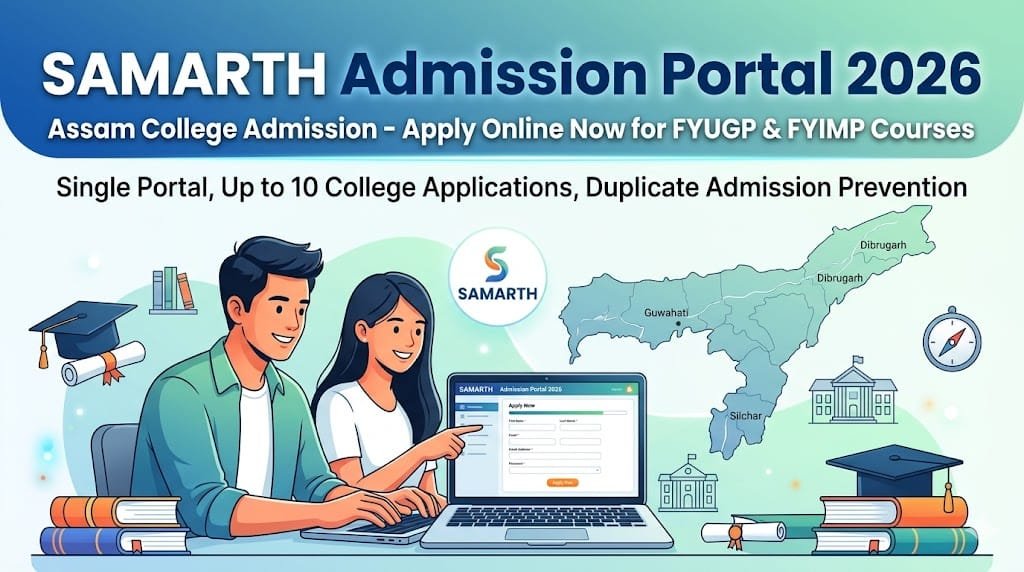 verified Official Banner
Check Your Eligibility With Free Age Calculator
Calculate your exact age as on advertisement cut-off date.